




About Real Simulator Monster Truck
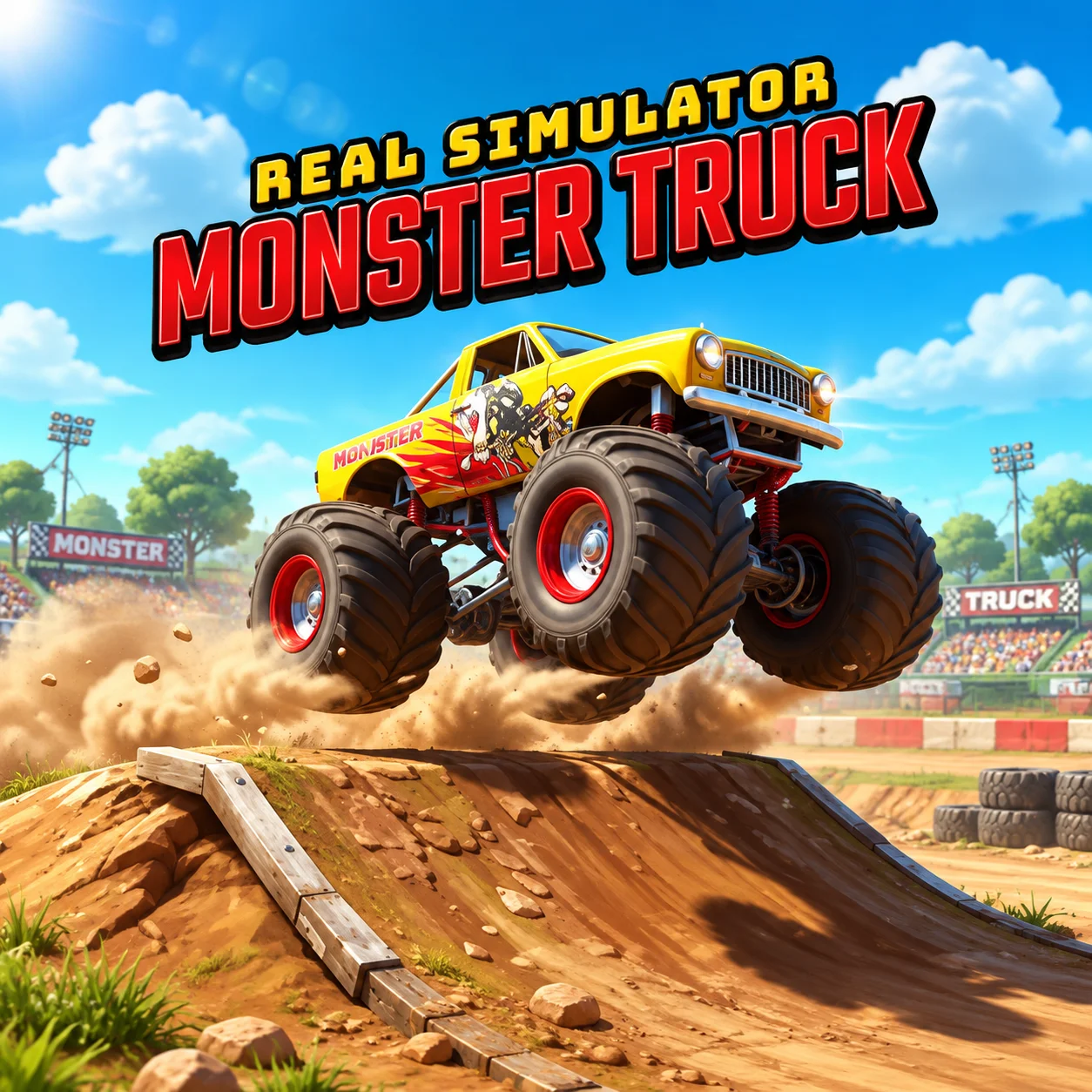
Real Simulator Monster Truck is a 3D browser-driving game built around oversized vehicles, realistic handling, competitive races, and spectacular stunts. Its three distinct modes let you compete against computer-controlled drivers, tackle obstacle-filled stunt courses, or explore open environments without a fixed objective.
The garage contains 10 monster trucks that can be purchased and developed using money earned during play. Unlocking and improving these vehicles helps you take on more demanding tracks while giving you new designs to test.
The game includes 12 racing levels and 12 stunt levels, creating 24 structured challenges in total. Free Drive mode adds four open maps—Forest, Desert, Hill, and Moon—where you can practice controls, test nitro, and learn how the truck behaves on different terrain.
How to Play Real Simulator Monster Truck
- Select a game mode and choose an available monster truck. Racing mode places you against AI-controlled opponents, while Stunt mode challenges you to navigate ramps, obstacles, and elevated roads. Free Drive allows unrestricted exploration across one of the four open maps.
- In a race, follow the track and reach the finish line ahead of the other trucks. Maintain a smooth driving line, avoid unnecessary collisions, and use nitro on straight sections where the additional speed can be controlled.
- Stunt levels reward a different style of driving. Use ramps to perform jumps, drift through suitable areas, and break boxes to increase your score. Manage the truck’s speed carefully so you can land on all four wheels and continue without losing momentum.
- Complete events to earn money, then visit the garage to purchase new trucks or develop vehicles you already own.
Controls
The game is designed for keyboard play, making a desktop or laptop browser the recommended platform.
Modes, Trucks, Maps, and Progression
Each mode emphasizes a different part of monster-truck driving, while the garage connects your results to long-term progression.
Free Drive is useful for learning a newly purchased vehicle before entering a competitive race or difficult stunt event.
Beginner Tips for Real Simulator Monster Truck
- Begin in Free Drive mode to learn the truck’s weight and steering response.
- Make small steering adjustments instead of turning sharply at high speed.
- Use nitro primarily on straight, open sections.
- Release the accelerator before entering a tight racing corner.
- Approach ramps in a straight line to produce a more stable jump.
- Try to land with all four wheels touching the ground at approximately the same time.
- Avoid steering aggressively immediately after landing.
- Learn the track layout before attempting to maintain maximum speed.
- Complete easier events repeatedly if you need more money for the garage.
- Test an upgrade or new truck before using it in a difficult level.
Advanced Real Simulator Monster Truck Strategy
In Racing mode, focus on maintaining momentum rather than using nitro at every opportunity. Accelerate smoothly out of corners and activate the boost only when the truck is stable. A shorter controlled burst is often more useful than extended nitro that sends the vehicle off the track.
Plan overtakes before reaching narrow sections. Pull alongside an opponent on a wide straight and complete the pass before entering the next corner. Contact between monster trucks can change your direction quickly, so avoid depending on collisions as a racing strategy.
Stunt mode requires precise setup. Align the truck with a ramp early, choose an appropriate speed, and avoid last-second steering inputs. While airborne, use light acceleration or braking adjustments to influence the truck’s pitch. A level landing preserves speed and prepares you for the next obstacle.
Build stunt scores by connecting different actions efficiently. A clean jump followed by a controlled drift or a line through breakable boxes can be more productive than one oversized jump that ends in a rollover.
Use the open maps as testing grounds. Compare how each truck accelerates, turns, climbs, and responds to nitro. Spend garage money on improvements that address the weakness most relevant to your preferred mode rather than upgrading without a clear purpose.
FAQ
Can I play Real Simulator Monster Truck online?
Yes. The game runs directly in a compatible desktop web browser without requiring a separate installation.
How many monster trucks are available?
You can purchase and drive 10 different monster trucks.
How many levels are in the game?
There are 12 racing levels and 12 stunt levels, for a total of 24 structured challenges.
What game modes can I play?
The game offers Racing, Stunt, and Free Drive modes.
Which maps are available in Free Drive mode?
You can explore four open environments: Forest, Desert, Hill, and Moon.
Can I upgrade my monster truck?
Yes. The game includes a purchase and development system that lets you spend earned money on vehicles and improvements.
How do I activate nitro?
Press N while driving. Use it when the truck is traveling straight and has enough room to accelerate safely.
How do I change the camera?
Press C to switch between the available driving perspectives.
What activities earn points in Stunt mode?
You can score through actions such as jumping, drifting, and breaking boxes while navigating the stunt courses.
Is Real Simulator Monster Truck multiplayer?
No. Racing mode places you against computer-controlled opponents rather than online players.
What is the best mode for beginners?
Free Drive is the best place to learn the controls because you can explore without the pressure of opponents or a structured stunt objective.
Who developed Real Simulator Monster Truck?
The game was developed by Özgür Aydın and is also associated with AYN Games.
More Games Like This
Miami Crime Simulator 3D
Edy’s Car Simulator
Flying Car Simulator

Grand Vegas Simulator
Highway Bike Simulator
Indian Truck Simulator
Indian Truck Simulator 3D
Real Construction Excavator Simulator

Idle Restaurants Tycoon

Idle Idle GameDev

Dalgona Candy Honeycomb Cookie
