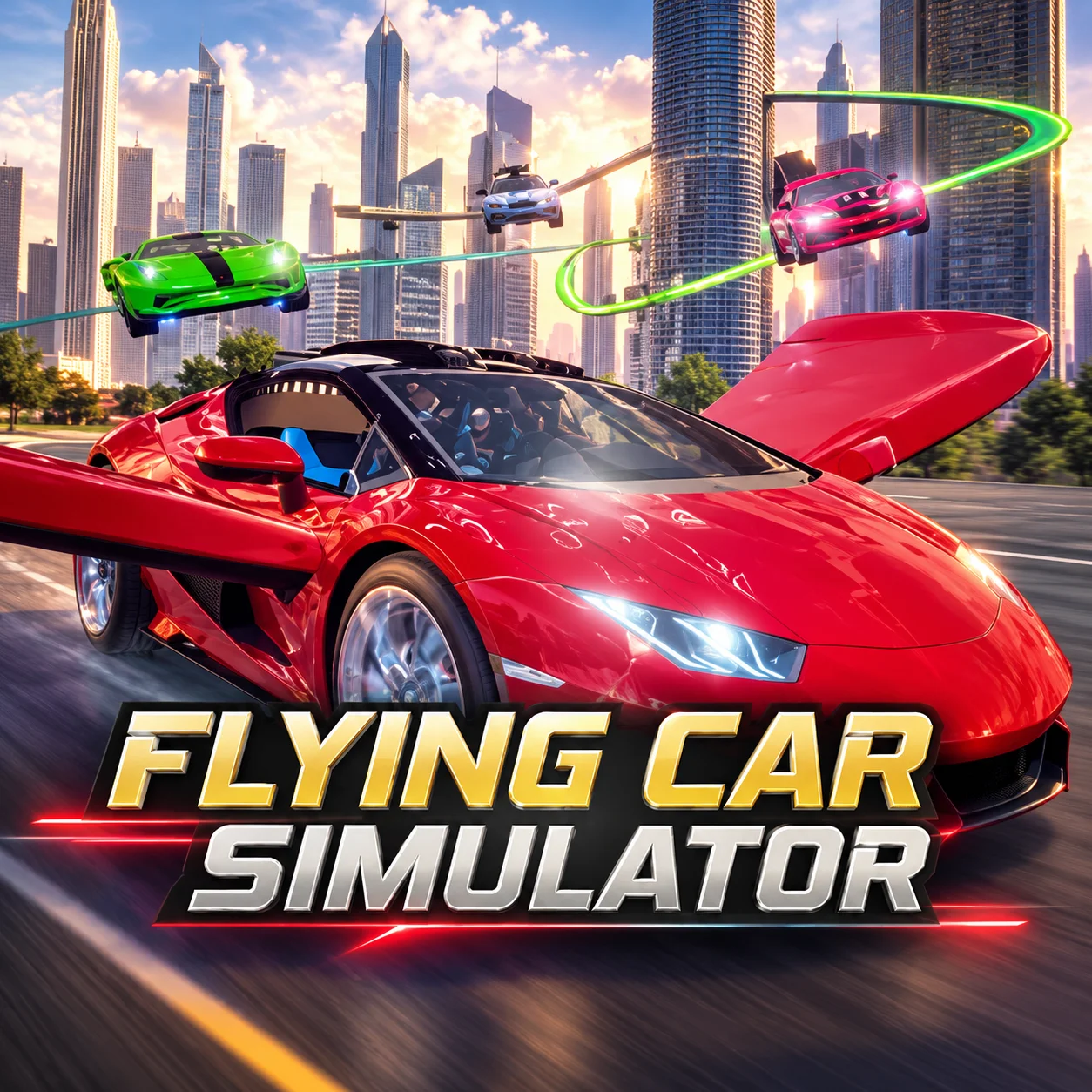






About Flying Car Simulator
Flying Car Simulator is a browser-based driving and flight game developed by Blue Axis. Every available vehicle can operate as a conventional road car or extend a pair of wings and take to the sky like an aircraft.
The open map combines urban streets with countryside and large aerial spaces. You can cruise along the roads, fly above the buildings, search for interesting landmarks, or move freely between ground and air whenever the terrain changes.
Three cars are available, providing different options for exploring the map and attempting airborne challenges. A series of hoops creates time-trial routes that test your ability to control altitude, direction, and speed while flying.
There is no requirement to follow a fixed campaign. You can pursue the aerial challenges or simply use the world as a driving-and-flight sandbox.
How to Play Flying Car Simulator
- Choose an available car and begin by driving around the map. Learn how the vehicle accelerates, brakes, and turns on the road before attempting your first flight.
- Find a clear, straight section and build a moderate amount of speed. Press F to deploy the wings and switch into flight mode. Use smooth directional inputs as the car leaves the ground, then climb above nearby buildings and obstacles.
- Look for hoops in the sky when you want a structured challenge. Line up with the next target early, pass through its center, and immediately identify the following hoop. Nitro can help on straight approaches, but excessive speed may make precise turns more difficult.
- Press F again when you want to return to driving mode. Choose a clear, level location, reduce speed, and approach the surface gradually before retracting the wings.
Controls
Driving and flying require several simultaneous keyboard inputs, so a desktop or laptop browser offers the most comfortable experience.
Cars, Flight Mode, Nitro, and Aerial Hoops
The game’s main systems allow you to transition smoothly between open-road driving and aerial exploration.
The best mode depends on the route ahead. Roads provide predictable surfaces, while flight can cross terrain and reach destinations more directly.
Beginner Tips for Flying Car Simulator
- Practice normal driving before attempting to fly.
- Use a long, straight road for your first takeoff.
- Do not activate nitro while learning the basic flight controls.
- Make small steering adjustments in the air.
- Approach aerial hoops from a distance so you have time to align.
- Look beyond the current hoop and identify the next one early.
- Reduce speed before attempting a tight airborne turn.
- Choose open countryside for landing practice.
- Avoid transforming too close to buildings or the ground.
- Use the brake to regain control instead of making several sharp corrections.
Advanced Flying Car Simulator Techniques
Plan transitions between ground and air rather than switching modes impulsively. A fast road section can provide useful takeoff momentum, while an open field creates a safer landing zone than a narrow city street.
During a hoop challenge, establish a flight line that passes through the center of multiple targets with minimal turning. Small corrections preserve momentum and produce more consistent results than aggressive movements immediately before each hoop.
Use nitro after the vehicle is stable. On the ground, activate it on a clear straight road. In the air, wait until the car faces the target and has enough space to slow down afterward. Boosting while misaligned usually pushes you farther away from the ideal route.
Control altitude gradually. Climbing too high may lengthen the path to lower hoops, while flying close to the rooftops leaves little time to recover from a mistake. Maintain a middle altitude until the route clearly requires a climb or descent.
For a smooth landing, align with an open surface, lower the car gradually, and keep its direction steady. Retract the wings only when the vehicle is close enough to transition safely back to road driving.
Create your own hybrid routes after mastering the official challenges. Drive through the city, launch from a straight road, cross the countryside by air, and land at a chosen landmark without losing control.
FAQ
Can I play Flying Car Simulator online?
Yes. The game runs directly in a compatible desktop web browser without requiring a separate installation.
Who developed Flying Car Simulator?
The game was developed by Blue Axis.
How many cars are available?
The browser version includes three cars that can both drive and fly.
How do I make the car fly?
Build some speed in a clear area and press F. The vehicle will deploy its wings and enter flight mode.
How do I land the flying car?
Approach an open, level surface at a controlled speed. Descend gradually and press F to return to driving mode when it is safe to do so.
What are the hoops in the sky for?
They form aerial routes and time-trial challenges that test your flying accuracy and speed.
How do I activate nitro?
Hold Shift to receive a temporary speed boost. Use it only when the car is stable and there is enough clear space ahead.
Can I explore without completing challenges?
Yes. The game supports free exploration across the city, countryside, roads, and sky.
Does every vehicle have a flight mode?
Yes. The selectable cars can deploy wings and transform from road vehicles into flying machines.
Is Flying Car Simulator multiplayer?
No. The standard browser version is a single-player driving and flight simulator.
When was Flying Car Simulator released?
The original browser game was released in June 2019.
What is the best device for playing?
A desktop or laptop with a keyboard is recommended because accurate flying requires simultaneous directional, transformation, brake, and nitro inputs.
More Games Like This
Real Simulator Monster Truck
Edy’s Car Simulator

Grand Vegas Simulator
Highway Bike Simulator

Indian Truck Simulator

Ultimate Offroad Simulator

Indian Truck Simulator 3D

Real Construction Excavator Simulator

Idle Restaurants Tycoon

Idle Idle GameDev

Dalgona Candy Honeycomb Cookie
