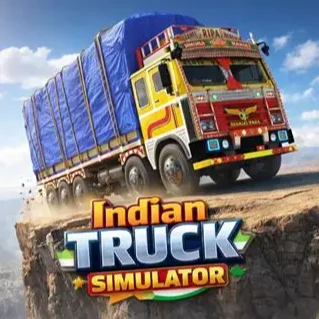






About Indian Truck Simulator
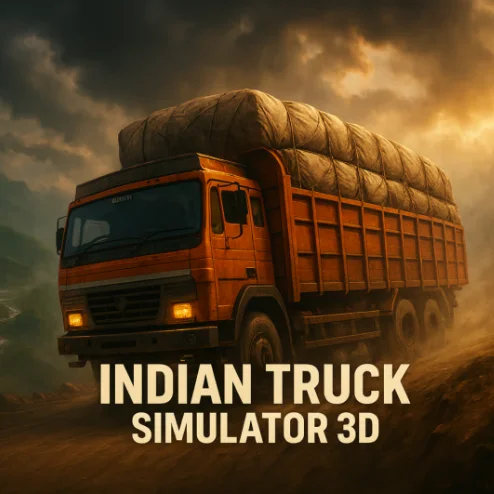
Indian Truck Simulator is a browser-based driving game that puts you behind the wheel of a heavy cargo truck. Your job is to follow each route, handle difficult road conditions, and transport the assigned load to its destination without causing serious damage.
This is not a high-speed racing game. A truck accelerates slowly, requires more room to turn, and cannot stop as quickly as a regular car. Success depends on controlled driving rather than maximum speed. Sharp bends, uneven surfaces, traffic, narrow passages, and steep sections can all turn a routine delivery into a demanding test.
Because Indian Truck Simulator runs directly in a web browser, you can begin driving without installing a large game. The keyboard-based controls make it best suited to desktop play, where you can make accurate steering adjustments and react quickly to changes in the road.
Each successful journey rewards patience. The satisfaction comes from keeping the vehicle stable, protecting the cargo, and reaching the delivery point after navigating a challenging route.
How to Play Indian Truck Simulator
Start by selecting an available mission and preparing your truck for the journey. Your objective is to drive from the starting area to the marked destination while keeping the vehicle and its cargo under control.
Follow these basic steps:
- Start the mission and identify the direction of your destination.
- Accelerate gradually to prevent the truck from becoming unstable.
- Follow the road while watching for traffic, obstacles, and difficult corners.
- Reduce your speed before steep slopes or uneven sections.
- Keep the cargo secure by avoiding sudden steering movements.
- Reach the destination and position the truck inside the required delivery area.
- Complete the mission to continue to the next driving challenge.
Some routes may include time pressure, but driving recklessly is rarely the best solution. A failed delivery costs more time than slowing down briefly before a dangerous section.
Controls
Indian Truck Simulator uses straightforward keyboard controls:
Press the steering keys briefly when making small corrections. Holding them for too long can produce a sharp turn that destabilizes the truck or sends it off the road.
Controls can occasionally vary between browser versions. Check the instructions displayed beside the game before beginning your first mission.
Cargo, Routes, and Driving Physics
The main challenge in Indian Truck Simulator comes from managing three connected systems: the truck, the road, and the cargo.
Cargo changes how you should drive. A loaded truck may feel heavier and less responsive, especially when climbing, braking, or changing direction. Treat the load as part of the vehicle rather than something you can ignore.
Your route also affects the strategy. On an open road, you can maintain steady speed. In villages, busy streets, or mountain sections, you should prioritize visibility and control. Learning when to accelerate—and when not to—is the central skill of the game.
Beginner Tips for Indian Truck Simulator
Start slowly. Use the opening section of your first mission to understand how quickly the truck accelerates, turns, and stops.
Brake before a corner. Waiting until the truck is already turning can cause it to drift outside the road or lose stability.
Use short steering inputs. Small taps offer more precision than holding a direction key continuously.
Keep a safe distance from other vehicles. A heavy truck needs extra space to stop, especially when carrying cargo.
Watch the road ahead instead of focusing only on the truck. Early observation gives you more time to respond to bends and obstacles.
Avoid unnecessary reversing. Turning around a large truck on a narrow route can be difficult, so remain on the correct path whenever possible.
Do not rush the delivery area. Many good runs can be ruined by approaching the final parking or unloading point too quickly.
Advanced Indian Truck Simulator Strategy
Once you understand the basic controls, concentrate on making every journey smoother and more efficient.
Use progressive braking. Release the accelerator early, apply the brake gradually, and enter the corner at a manageable speed. This keeps the truck balanced and reduces the need for emergency corrections.
Choose a clean driving line. Approach wide corners from the outside, turn smoothly toward the inside, and allow enough space for the rear of the truck to follow. Remember that a long vehicle does not turn like a small car.
Manage momentum on hills. Accelerating too late can leave the truck struggling on an incline, but excessive speed can make the descent dangerous. Build moderate speed before climbing and stay controlled when going downhill.
Correct skids carefully. If the truck begins to slide, release the accelerator and use a gentle steering adjustment. Aggressive countersteering can make the situation worse.
Learn difficult sections through repetition. Remember where the sharpest turns, steepest slopes, and busiest areas appear. Route knowledge allows you to prepare before reaching each hazard.
Aim for consistency rather than one fast run. Completing several safe deliveries is more valuable than repeatedly failing while attempting to save a few seconds.
FAQ
Is Indian Truck Simulator free to play?
Yes. The browser version can be played online without purchasing or installing the game.
Do I need to download Indian Truck Simulator?
No. You can load the game directly in a compatible web browser.
What is the objective of the game?
Your objective is to drive a cargo truck along challenging routes and deliver its load safely to the marked destination.
Is Indian Truck Simulator a racing game?
No. It is primarily a truck-driving and cargo-delivery simulator. Safe vehicle control is more important than reaching maximum speed.
Why does the truck turn slowly?
Trucks are longer and heavier than regular cars. Begin turning earlier and leave additional space for the rear of the vehicle.
How can I stop losing cargo?
Reduce your speed before corners, avoid abrupt steering, and drive carefully over uneven terrain. Smooth inputs make the truck and its load more stable.
Can I play Indian Truck Simulator on a computer?
Yes. The browser game is well suited to desktop and laptop computers using a keyboard.
What should I do if a delivery feels too difficult?
Replay the route at a slower pace and identify the sections causing trouble. Once you know where the sharp turns, slopes, and obstacles appear, completing the mission becomes much easier.
More Games Like This
Car Simulator Arena

Edy’s Car Simulator

Flying Car Simulator

Grand Vegas Simulator
Highway Bike Simulator

Ultimate Offroad Simulator
Cars Simulator
Real Construction Excavator Simulator

Idle Restaurants Tycoon

Idle Idle GameDev

Dalgona Candy Honeycomb Cookie
