








About Grand Vegas Simulator
Grand Vegas Simulator is a browser-based police driving game set in an open 3D city. You take the role of a patrol officer and use your driving skills to respond to crimes, accidents, escort requests, and high-speed pursuits.
Missions appear while you patrol, but you can choose whether to accept them. This leaves you free to explore the map, become familiar with the roads, or test an unlocked vehicle before beginning another assignment.
Successful missions provide rewards, increase your police rank, and unlock access to additional cars. The garage contains 10 vehicles with different performance characteristics, along with extensive visual customization options.
How to Play Grand Vegas Simulator
- Choose an available police car and begin patrolling the streets. Watch for mission notifications, then accept an assignment when you are ready to begin.
- Follow the route marker to the objective and complete the stated requirement. A mission may ask you to pass through checkpoints, reach an incident, escort an important vehicle, attain a target speed, or stop a fleeing suspect.
- During pursuit missions, catch the target vehicle and make controlled contact until the arrest meter is filled. Avoid hitting unrelated traffic or losing too much ground through sharp corners.
- Finish the objective within its conditions to receive a reward and advance your rank. Return to the garage to unlock another vehicle or customize the appearance of your current police car.
Controls
The simple keyboard layout makes a desktop or laptop browser the best way to control high-speed chases.
Police Missions, Ranks, Cars, and Customization
The game’s progression system connects successful police work with new garage options.
Garage customization is primarily visual, while unlocking a better-performing car can make demanding pursuits and timed responses easier.
Beginner Tips for Grand Vegas Simulator
- Explore the city before accepting several timed missions.
- Learn the main roads, intersections, and useful shortcuts.
- Brake before a sharp corner instead of turning at full speed.
- Avoid hitting cones during checkpoint assignments.
- Use the siren to make the police role more immersive.
- Start a pursuit by matching the suspect’s speed before making contact.
- Do not ram a fleeing car head-on unless there is no safer option.
- Stay near the escorted limousine without colliding with it.
- Choose a stable vehicle while learning mission routes.
- Save cosmetic customization until you understand how progression rewards work.
Advanced Grand Vegas Simulator Strategy
Map knowledge is the most valuable advantage in timed missions. Remember which roads provide long straights, which intersections cause difficult turns, and where an alternate street can shorten the trip to an incident.
During a suspect chase, follow the target’s line instead of repeatedly attempting risky shortcuts. Close the distance gradually, then contact the side or rear of the vehicle. Controlled repeated impacts are usually more reliable than one high-speed crash that sends your own car out of control.
For checkpoint courses, look beyond the nearest gate. Position the car for the following pair of cones before crossing the current checkpoint. This produces smoother lines and reduces emergency steering.
Escort missions reward consistency rather than maximum speed. Maintain a safe position near the protected vehicle, anticipate its turns, and avoid overtaking unless the route clearly allows it.
In speed challenges, find a straight section before accelerating aggressively. Excessive steering increases the risk of collisions and prevents the car from maintaining its highest speed.
Choose vehicles according to the assignment. Good handling supports cone courses and city pursuits, while stronger acceleration and top speed are more useful for open-road chases and speed objectives.
FAQ
Can I play Grand Vegas Simulator online?
Yes. The game runs directly in a compatible desktop web browser without requiring a separate installation.
What role do I play?
You are a Grand Vegas police officer responsible for patrolling the city and responding to different driving missions.
How many police cars can I unlock?
The game includes 10 vehicles that become available through progression.
What types of missions are available?
Assignments include checkpoint courses, bank responses, accident calls, presidential escorts, suspect pursuits, and speed challenges.
How do I stop a fleeing suspect?
Catch the target and make repeated controlled contact until the arrest or capture meter is complete.
Can I ignore a mission?
Yes. Mission calls can be accepted or declined, allowing you to continue exploring until another assignment appears.
How does the rank system work?
Completing police missions increases your progress and rank, which provides access to additional content and vehicles.
Can I customize my police car?
Yes. You can change its paint, finish, decals, tires, and smoke color.
How many decals are available?
The customization system includes 38 decals whose size and rotation can be adjusted.
How do I use the police siren?
Press B to switch the siren on or off in supported browser versions.
Is Grand Vegas Simulator multiplayer?
No. The standard browser version is a single-player police driving game.
When was Grand Vegas Simulator released?
The browser game was released in May 2022.
More Games Like This
Real Simulator Monster Truck
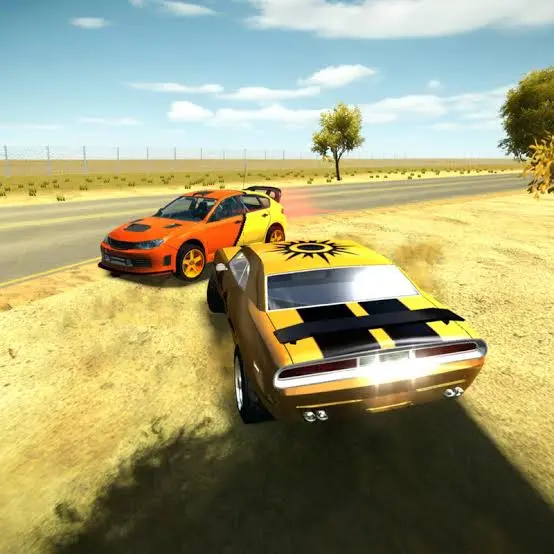
3D Car Simulator
Car Simulator Arena
Edy’s Car Simulator
Flying Car Simulator
Highway Bike Simulator
Indian Truck Simulator
Ultimate Offroad Simulator
Cars Simulator
Indian Truck Simulator 3D
Real Construction Excavator Simulator
