




About Car Simulator Arena
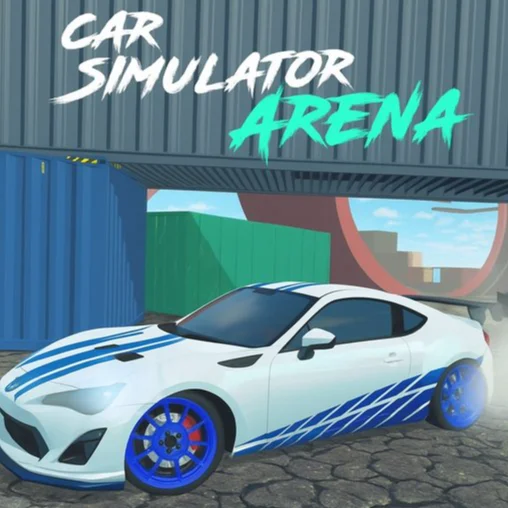
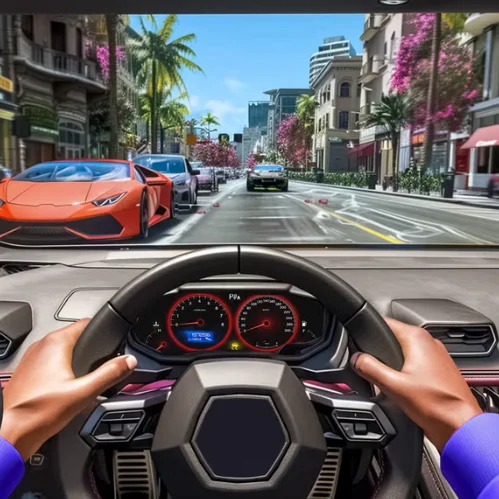
Car Simulator Arena is a browser-based 3D driving game that combines free-roam exploration, vehicle stunts, car football, and demolition derby combat. Instead of following a traditional racing campaign, you can choose an activity and create your own driving challenges inside a large interactive playground.
The vehicle selection contains 14 options, including sports cars, classic vehicles, vans, buses, off-road machines, and monster trucks. Their different sizes and handling characteristics make them suitable for different activities, from fast ramp jumps to heavy derby collisions.
Free Roam mode features ramps, loops, elevated tracks, mountains, giant balls, and open areas where you can experiment without a strict objective. Derby mode places you against aggressive computer-controlled vehicles and challenges you to survive the arena without being destroyed.
How to Play Car Simulator Arena
- Select an available vehicle and decide whether you want to explore freely or enter the demolition derby.
- In Free Roam, drive around the map and search for ramps, loops, stunt platforms, off-road sections, and football areas. Build enough speed before a jump, use the trick controls while airborne, and try to land with the vehicle pointing toward a safe surface.
- Push the giant ball with your car if you want to create a vehicle-based football challenge. Larger vehicles can move it with more force, while smaller cars may offer better positioning and control.
- In Derby mode, avoid direct attacks from opposing vehicles while looking for opportunities to damage them. Use nitro to escape dangerous situations or strike an exposed opponent. If your vehicle is destroyed or becomes trapped, respawn and return to the action.
- You can switch vehicles during play, allowing you to test another option without leaving the current session.
Controls
Some hosted versions assign both reset and stunt functions to the same keys. Follow the control panel displayed inside your game if its layout differs.
Vehicles, Modes, Stunts, and Damage
Each activity requires a different balance of speed, weight, control, and durability.
A fast vehicle is not automatically the best choice. Lightweight cars are easier to position, while heavier vehicles are more effective in collisions but may struggle on narrow elevated tracks.
Beginner Tips for Car Simulator Arena
- Start in Free Roam mode to learn the controls without derby opponents.
- Test several vehicles before deciding which one suits your driving style.
- Align the car with a ramp before activating nitro.
- Release the accelerator near the top of a ramp if the vehicle is rotating too quickly.
- Practice aerial tricks over wide landing areas first.
- Use the handbrake briefly rather than holding it through an entire turn.
- Avoid driving directly into the center of a crowded derby.
- Keep moving so opponents cannot line up an easy collision.
- Use R when the vehicle becomes stuck or lands upside down.
- Choose a heavier vehicle if lighter cars are being pushed around too easily.
Advanced Car Simulator Arena Strategy
Successful stunt driving begins with the approach. Position the vehicle in a straight line, build speed gradually, and activate nitro only when the wheels are stable. Steering at the final moment can send the car sideways and make a controlled landing much harder.
During an aerial trick, monitor the vehicle’s rotation instead of pressing several trick keys randomly. Stop the rotation early enough to bring the wheels toward the landing surface. A smaller completed flip is more valuable than an ambitious combination that ends in a crash.
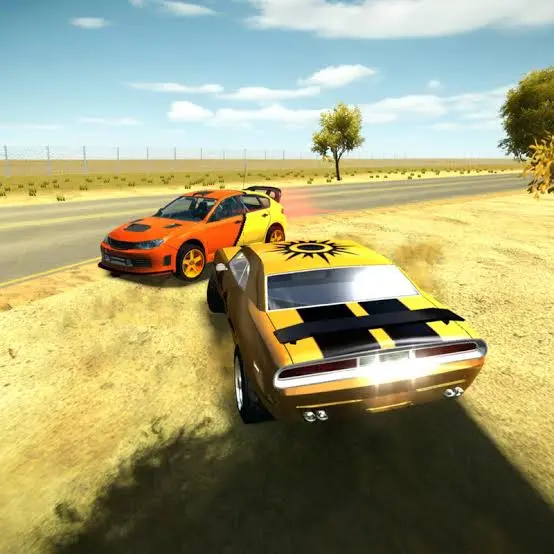
In the derby, attack opponents from the side or rear whenever possible. Head-on collisions damage both vehicles and may leave you exposed to a second attacker. Use the arena’s ramps and edges to break pursuit, then turn back toward isolated targets.
Save nitro for a clear purpose. It can create a powerful hit, but it is equally valuable as an escape tool when several cars begin closing in. Maintain enough space to accelerate before using it.
Watch the condition and position of nearby vehicles. A damaged opponent may be an easy target, but entering a crowded group to finish it can expose your own car to multiple impacts. Patience and positioning often matter more than constant aggression.
For car football, contact the ball below its center to lift it slightly or strike directly through the middle to keep it moving along the ground. Approach from an angle that leaves your vehicle facing the next useful direction after impact.
FAQ
Can I play Car Simulator Arena online?
Yes. The game runs directly in a compatible desktop web browser without requiring a separate installation.
How many vehicles are available?
The game includes 14 vehicles across several categories, including cars, vans, buses, off-road vehicles, and monster trucks.
What game modes can I play?
The two primary experiences are Free Roam and Derby. Free Roam focuses on exploration and stunts, while Derby centers on surviving destructive battles against AI vehicles.
Can I perform stunts?
Yes. The arena contains ramps, loops, elevated roads, and other structures designed for jumps and aerial tricks.
Does the game include car football?
Yes. You can push and strike giant balls with your vehicle inside the free-roam environment.
How do I switch vehicles?
Hold Ctrl and use the Arrow Keys to cycle through the available vehicles.
How do I use nitro?
Press Shift to activate the boost. Use it on a straight approach to a ramp, when escaping derby opponents, or immediately before a controlled collision.
What should I do if my car gets stuck?
Press R to respawn. Some browser builds also include a separate reset command.
What is the best vehicle for Derby mode?
Heavier vehicles can deliver and absorb stronger impacts, while smaller vehicles are better at avoiding attacks. The best choice depends on whether you prefer aggression or evasive driving.
Is Car Simulator Arena multiplayer?
No. The standard browser version is a single-player game in which derby opponents are controlled by the computer.
What is the best way to play the game?
Use a desktop or laptop with a keyboard because the game relies on several keys for driving, camera movement, nitro, tricks, respawning, and vehicle selection.
More Games Like This
Real Simulator Monster Truck
Flying Car Simulator

Grand Vegas Simulator
Highway Bike Simulator
Indian Truck Simulator
Ultimate Offroad Simulator
Indian Truck Simulator 3D
Real Construction Excavator Simulator

Idle Restaurants Tycoon

Idle Idle GameDev

Dalgona Candy Honeycomb Cookie
