








About Off Road Rain Cargo Simulator
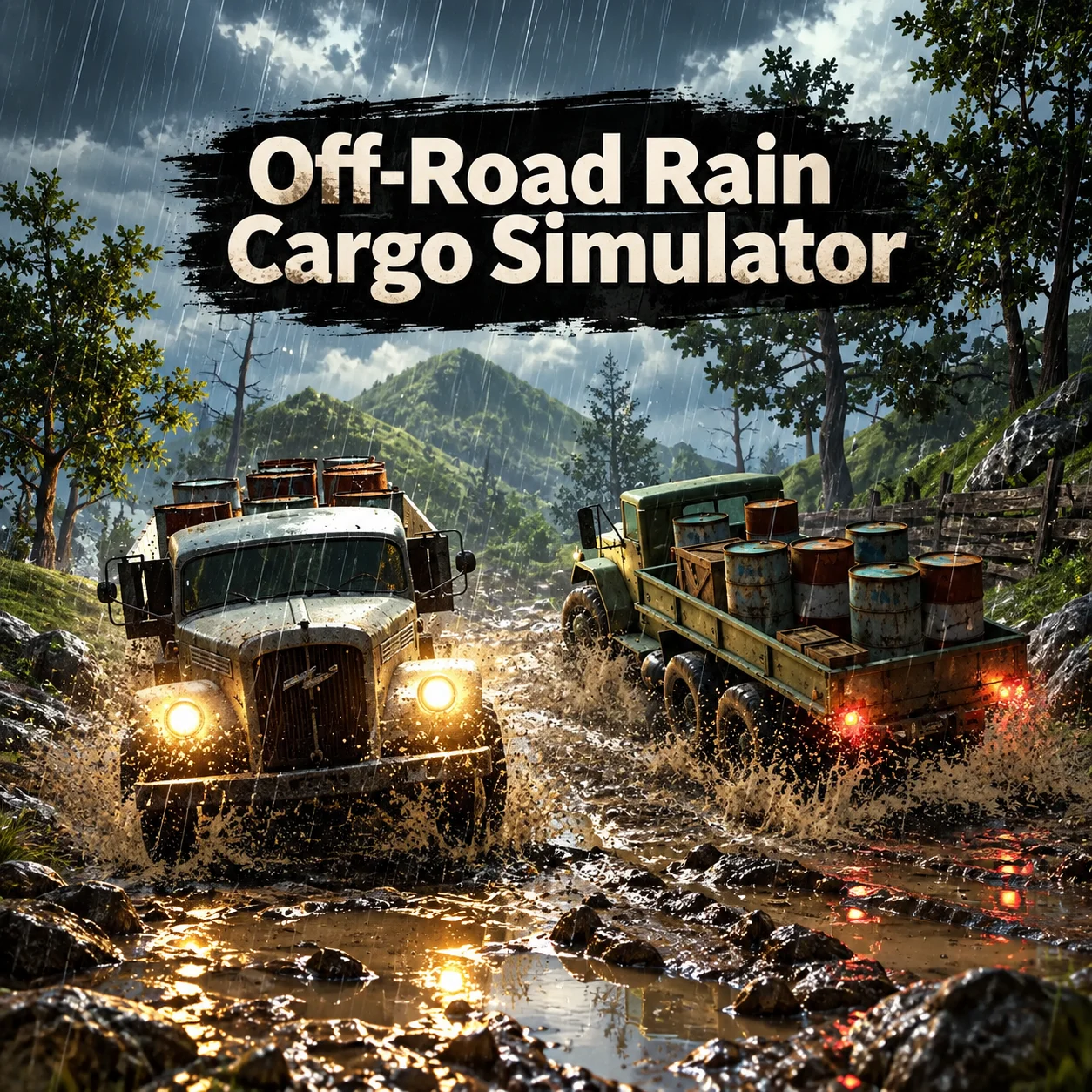
Off Road Rain Cargo Simulator is a physics-based truck game developed by Brain Software. It challenges you to deliver exposed cargo through heavy rain and across off-road terrain where patience matters more than maximum speed.
The game contains 30 levels set around mountains, rivers, plains, muddy tracks, steep slopes, and narrow passages. Each route presents a new combination of terrain and cargo-handling problems.
Rain makes the journey more difficult by reducing visibility and making the road feel slippery. At the same time, the cargo responds to every bump, turn, acceleration, and braking input.
Reaching the finish line is not enough for a perfect result. You must protect the goods throughout the journey and arrive with as much of the load as possible. Careful deliveries can earn stronger ratings and unlock further challenges.
Two additional vehicles become available as you progress. Their handling can help with later routes, but every truck still requires controlled driving to prevent the cargo from falling.
Off Road Rain Cargo Simulator runs directly in a desktop browser and uses keyboard steering with an adjustable mouse-controlled camera.
How to Play Off Road Rain Cargo Simulator Online
- Choose the first available level and examine the cargo in the truck bed before moving. The type and position of the load can affect how carefully you need to accelerate.
- Use W or the Up Arrow to drive forward. Apply the throttle in short, controlled inputs when crossing mud, rocks, or uneven ground.
- Steer with A and D, or the left and right arrow keys. Turn gradually because sudden direction changes can shift the cargo toward the side of the truck.
- Use S or the Down Arrow to brake and reverse. Begin slowing before steep descents and sharp corners instead of waiting until the truck is already unstable.
- Hold the right mouse button and drag to rotate the camera. Check the upcoming route and look back at the cargo whenever you feel the load beginning to move.
- Reach the destination with the cargo intact to complete the mission. Earn a strong result, unlock the next route, and continue through all 30 levels.
Controls
The desktop browser version combines keyboard driving with a movable camera.
Keyboard inputs are immediate, so tapping a key often gives you more control than holding it continuously on slippery or uneven terrain.
Rain, Mud, Cargo Physics, and Vehicle Progression
The game’s difficulty comes from several systems acting on the truck at the same time.
Rain is not the only hazard. Even on a straight route, rocks and bumps can destabilize an exposed load. Smooth acceleration is therefore just as important as correct steering.
The unlocked trucks may feel more powerful, but additional power can make throttle control more demanding. Learn how each vehicle reacts before attempting to drive at full speed.
Beginner Tips for Off Road Rain Cargo Simulator
- Accelerate slowly at the beginning of each level. Give the cargo time to settle before reaching rough terrain.
- Rotate the camera to inspect the road ahead. The default angle may hide a steep descent or sudden turn.
- Tap the accelerator on muddy climbs instead of holding it constantly. Controlled input can maintain grip more effectively.
- Brake before corners while the truck is still straight. Hard braking during a turn can shift the cargo sideways.
- Cross bumps at low speed. A small jump can throw loose goods from the truck bed.
- Avoid stopping in the middle of a steep climb. Regaining momentum on wet ground can be difficult.
- Watch the cargo as well as the road. If the load starts moving toward one side, slow down and straighten the truck.
- Focus on completing the level before chasing a perfect star rating. Replay familiar routes once you understand their hazards.
Advanced Wet-Weather Cargo Strategy
Read the terrain as a sequence of momentum zones. Build controlled speed before an incline, reduce throttle while crossing the crest, and prepare to brake before the truck begins descending.
On a muddy hill, too little momentum can cause the vehicle to stop, while too much power can produce wheelspin or launch the cargo over a bump. Use short accelerator presses to keep the truck moving without creating a sudden weight transfer.
Approach side slopes with the cargo centered. If the load has already shifted, pause on a level section or make a gentle steering correction before entering the tilted terrain.
Use the camera proactively. Rotate it before a blind corner or steep hill rather than waiting until the obstacle becomes visible from the default view.
If the rear of the truck begins sliding, release the accelerator and make a small correction. Aggressive countersteering can create a second slide in the opposite direction.
For three-star attempts, memorize the dangerous sections and develop a repeatable speed for each one. A clean delivery usually produces a better result than an aggressive run with lost cargo.
FAQ
Is Off Road Rain Cargo Simulator free to play?
Yes. The game can be played for free on websites that host the browser version.
Do I need to download the game?
No. It runs directly in a compatible desktop web browser without requiring a traditional installation.
Who developed Off Road Rain Cargo Simulator?
The game was created by Brain Software, a developer known for browser driving and parking games.
How many levels are available?
Off Road Rain Cargo Simulator contains 30 delivery levels with progressively more difficult terrain.
What is the main objective?
Transport the cargo from the starting point to the destination without dropping or severely damaging the load.
How do I move the camera?
Hold the right mouse button and drag to rotate the view around the truck.
Why does my cargo keep falling?
The load can be displaced by excessive speed, sudden steering, hard braking, jumps, side slopes, and collisions.
How many additional vehicles can I unlock?
Two more vehicles become available as you progress through the levels.
How should I climb a muddy hill?
Build moderate momentum before the incline and use controlled throttle. Avoid stopping or making sharp steering corrections while climbing.
How do I earn three stars?
Complete the route cleanly, protect the cargo, and avoid unnecessary crashes or delays. Replay the level after learning its most dangerous sections.
More Games Like This

Car Simulator Arena

Edy’s Car Simulator

Flying Car Simulator

Grand Vegas Simulator

Highway Bike Simulator

Ultimate Offroad Simulator

Cars Simulator

Real Construction Excavator Simulator

Idle Restaurants Tycoon

Idle Idle GameDev

Dalgona Candy Honeycomb Cookie
