













About Capybara Clicker 2
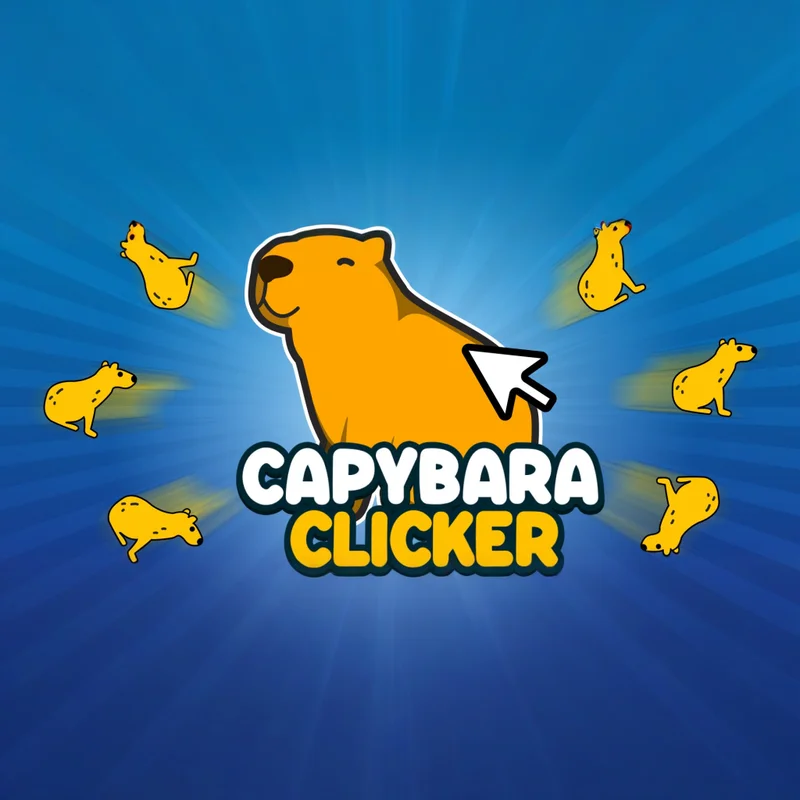
Capybara Clicker 2 is a 3D incremental game where every click helps create a larger capybara population. Begin with simple manual production, purchase upgrades, and gradually turn a few capybaras into an enormous automated empire.
The sequel expands the original formula with improved presentation, more upgrades, dynamic weather, and a new selection of cosmetic appearances.
Progress begins slowly but accelerates as multipliers and automatic production become stronger. Eventually, one click can generate huge numbers of capybaras while idle upgrades continuously add more in the background.
How to Play Capybara Clicker 2
- Click the large capybara in the center of the screen to increase your population. Each click adds the amount shown by your current click-power statistic.
- Spend part of the population on upgrades. Active upgrades improve the value of manual clicks, while idle upgrades generate capybaras automatically.
- Continue clicking, purchasing production improvements, and unlocking new features. Experiment with weather effects and skins as your population reaches higher milestones.
Controls
Capybara Clicker 2 uses straightforward mouse controls:
No keyboard commands are required for ordinary gameplay.
Click the Capybara
The central capybara is the main source of active production. Every click increases the population according to your current click value.
Manual clicking is especially effective during the opening stage, before automatic generators become affordable.
Continue clicking while saving for the first important upgrade. Once production improves, each mouse input contributes significantly more to the total.
Grow the Capybara Population
The population acts as both your score and your primary currency. Spend capybaras to purchase upgrades that generate even larger numbers.
Buying an upgrade temporarily reduces the displayed total, but the stronger production helps recover the cost over time.
Do not be afraid to spend part of the population. Incremental progress depends on reinvesting resources rather than preserving every capybara.
Improve Click Power
Click upgrades increase the number of capybaras created by each manual input. They are valuable for players who prefer active browser sessions.
Compare the upgrade cost with its additional output. Purchasing several affordable improvements may generate more value than waiting too long for one expensive option.
Click power becomes especially effective when combined with a temporary production multiplier.
Unlock Automatic Production
Idle upgrades generate capybaras without requiring continuous clicking. They form the foundation of long-term population growth.
Purchase automatic production early so that the counter continues increasing while you review upgrades, skins, or weather settings.
Improve both active and passive income. Relying exclusively on manual clicks can make later milestones unnecessarily slow.
Balance Active and Idle Upgrades
Active upgrades provide immediate value while you click. Idle upgrades are more useful over longer periods.
If you plan to remain at the browser, click power may offer a faster short-term return. If you intend to leave the game running, automatic production should receive greater priority.
A balanced strategy ensures that progress remains strong in both situations.
Purchase Upgrades Efficiently
Do not automatically buy the cheapest visible option. Compare its price with the increase it provides.
An upgrade offering twice the production for slightly more cost may be better than several small improvements. Conversely, saving for an extremely expensive item can slow your growth if affordable upgrades provide quick returns.
Recheck the shop after every purchase because upgrade values and prices change as your production increases.
Use Production Multipliers
Multipliers increase the value of existing production rather than adding only a fixed amount. They become more powerful as your base statistics grow.
Purchase or activate a multiplier after building a reliable production foundation. Combining several percentage or multiplicative effects can create a significant increase.
Use temporary multipliers during periods of active clicking to gain the greatest benefit from their limited duration.
Activate Available Boosters
Special boosters may temporarily increase click production or provide an immediate population reward.
Use a production booster when you can continue clicking throughout its active period. Activating it before leaving the browser wastes much of its value.
An instant reward can help when you are close to an important upgrade, but permanent production remains more useful over a long session.
Fill the Progress Bar
Repeated clicking may contribute to an activity or frenzy-style progress system in supported versions. Filling it can activate a production bonus.
Click rapidly when the bar is close to completion, then continue taking advantage of the boosted output.
The exact booster presentation and duration may change with game updates.
Unlock New Skins
Population milestones provide access to different capybara appearances. Skins may add clothing, accessories, colors, or complete visual themes.
Select unlocked designs through the customization menu. These options change how the central character looks but do not replace production upgrades.
Continue reaching larger totals to discover rarer and more elaborate capybara designs.
Customize Your Capybara
Customization gives the progression a visual reward beyond increasing numbers. Try different combinations and choose a design that matches the current environment.
Some appearances may require a particular population total or achievement before they become selectable.
Cosmetic changes do not normally affect click power or automatic production unless the game explicitly lists a bonus.
Change the Weather
Capybara Clicker 2 includes environmental effects that change the appearance and atmosphere of the game.
Available weather may include sunny conditions, rain, snow, or other special visual effects. Choose a setting through the weather menu.
Weather is primarily cosmetic, so select the environment you find most enjoyable unless a current version explicitly displays a gameplay effect.
Create a Visual Theme
Combine weather and capybara skins to create a personalized scene. A winter outfit may suit snow, while a colorful skin can stand out against a brighter environment.
Changing the theme can make long clicking sessions feel less repetitive without interrupting progression.
Explore newly unlocked options whenever you reach a major population milestone.
Understand Exponential Growth
The population increases much faster as more upgrades become available. Early gains may be counted in small numbers, while later production can reach millions, billions, and beyond.
This acceleration is a central feature of incremental games. Each upgrade increases the speed at which you can afford the next one.
Judge progress by production rate rather than only by the current balance.
Calculate Upgrade Payback
To estimate an upgrade’s value, compare its price with the extra production it provides. A lower payback time generally means faster progression.
For example, if two upgrades cost similar amounts but one creates much more production per second, purchase the more efficient option first.
However, an expensive upgrade may still be worthwhile if it unlocks a new system or multiplier.
Spend Instead of Hoarding
Keeping a large population may look impressive, but unused resources do not increase the production rate.
Spend enough to maintain consistent growth while preserving only the amount needed for a nearby milestone.
After purchasing an upgrade, allow the improved production to rebuild your balance before making the next decision.
Beginner Tips
Use these tips during the early game:
- Click continuously during the first few minutes.
- Purchase an affordable click upgrade early.
- Unlock automatic production as soon as possible.
- Reinvest most of the early population.
- Compare upgrade effects instead of only their prices.
- Balance click power with passive income.
- Use temporary boosters while actively clicking.
- Check the shop after reaching new milestones.
- Unlock skins without neglecting production upgrades.
- Treat weather as visual customization unless stated otherwise.
- Keep the browser tab active during temporary bonuses.
- Focus on production rate rather than the displayed total.
- Avoid saving for an upgrade that takes excessively long to reach.
- Return regularly to purchase new improvements.
Every upgrade should make the next milestone easier to reach.
Advanced Strategies
Calculate which upgrade produces the greatest percentage increase relative to its cost. Percentage-based comparisons remain useful even when the numbers become extremely large.
Stack temporary bonuses with your strongest period of manual clicking. Buying a permanent click multiplier immediately before using a booster can produce a much better result.
Switch priorities as the game changes. Manual clicking may dominate the opening stage, while automatic production often becomes more important later.
Save for a major upgrade only when its expected production increase justifies skipping several cheaper purchases.
Common Mistakes to Avoid
Avoid these common clicker-game errors:
- Hoarding the population without purchasing upgrades
- Improving only manual click power
- Ignoring automatic production
- Buying upgrades without comparing their effects
- Activating a temporary booster before leaving
- Saving too long for an inefficient expensive item
- Assuming every cosmetic skin increases production
- Expecting weather changes to provide hidden bonuses
- Focusing on the population total instead of production speed
- Clearing browser data without protecting the save
- Using unauthorized scripts or automated tools
The built-in upgrades provide the intended route toward faster production.
Idle Progress and Automation
Automatic generators allow the population to increase with minimal input while the game is running. This gives you time to review customization options or wait for an expensive upgrade.
The amount of offline progression may depend on the current browser build. Confirm how saving and idle rewards work before closing the page for a long period.
Return periodically to reinvest the accumulated population. Automatic income grows much faster when profits are regularly converted into new upgrades.
Save Your Browser Progress
Clicker games may store progress through local browser data or a platform account. Avoid clearing cookies and site storage unless you are prepared to lose a locally stored save.
Use an export, login, or cloud-save option if the current version provides one.
Private browsing can remove local progress after the window is closed, so a standard browser session is generally more reliable.
Why Play Capybara Clicker 2 Online?
Capybara Clicker 2 can be launched directly in a compatible desktop browser. The game uses one-button controls and does not require a complicated tutorial.
The combination of incremental growth, cute 3D presentation, weather effects, and unlockable skins creates a relaxed experience.
You can click actively for rapid progress or allow automatic upgrades to handle part of the production.
Main Features
Capybara Clicker 2 includes:
- 3D capybara clicker gameplay
- Manual population generation
- Automatic idle production
- Click-strength upgrades
- Passive-production upgrades
- Large-number incremental growth
- Temporary boosters
- Improved features over the original game
- Dynamic weather effects
- Multiple capybara skins
- Cosmetic customization
- Milestone-based unlocks
- Simple mouse controls
- Unity WebGL browser technology
- Music credited to Radiocosmo
Frequently Asked Questions
What is Capybara Clicker 2?
Capybara Clicker 2 is an incremental game where players click a capybara, increase its population, purchase upgrades, and unlock cosmetic features.
Who developed Capybara Clicker 2?
Development work is credited to Gixer Entertainment, and the game was released as a CrazyGames Original.
When was Capybara Clicker 2 released?
The browser game was released in November 2023.
Can I play Capybara Clicker 2 online?
Yes. It runs directly in a compatible web browser.
Is Capybara Clicker 2 free?
Yes. The browser version is available to play for free.
How do I create more capybaras?
Click the central capybara and purchase upgrades that increase manual or automatic production.
Does the game produce capybaras automatically?
Yes. Idle-production upgrades generate population without requiring every unit to come from a manual click.
Can I change the weather?
Yes. The sequel includes several visual weather settings.
Can I unlock new capybara skins?
Yes. Additional appearances become available through progression and population milestones.
Do skins increase production?
Skins are generally cosmetic unless a particular version explicitly lists a production effect.
Does the game save progress?
Supported browser versions use local or platform-based saving. Avoid deleting site data if your progress is stored locally.
Does the browser version require a download?
No separate installation is required to play the supported web version.
Similar Games
If you enjoy Capybara Clicker 2, play the original Capybara Clicker to experience the beginning of the series.
Relevant internal-link recommendations include Money Clicker, Bitcoin Clicker, Idle Bee Factory, Idle Mining Empire, Idle Miner, and Idle Idle GameDev.
Final Thoughts
Capybara Clicker 2 expands a simple clicking concept into a colorful incremental experience. Every purchase increases production, shortens the wait for the next upgrade, and moves your population toward increasingly enormous totals.
Balance active clicks with automatic income, spend resources on efficient upgrades, and activate boosters when you can use their complete duration. Play Capybara Clicker 2 online, experiment with weather effects, and unlock a collection of distinctive capybara skins.
More Games Like This

Dalgona Candy Honeycomb Cookie

Poop Clicker 3

Poop Clicker Flash

Case Clicker

Poop Clicker

Tube Clicker

Idle Ants

Idle Breakout

Idle Dice

Idle Shark

Idle Success