











About Doge Miner 2
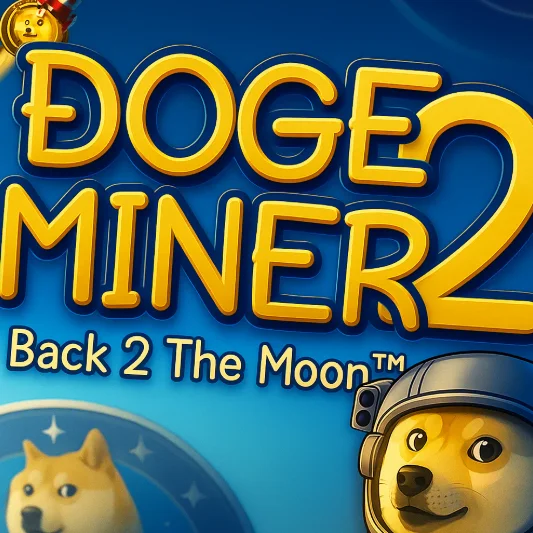
Doge Miner 2: Back 2 the Moon is a humorous idle clicker game created by Rkn. You begin on Earth with Doge, a basic pickaxe, and the ambitious goal of building a mining operation powerful enough to reach space.
Every click on the rock produces fictional in-game Dogecoins. These coins can be invested in helpers that mine automatically, equipment that improves manual clicks, and rockets that unlock new destinations.
The adventure eventually expands beyond Earth to the Moon, Mars, Jupiter, and Titan. Each location introduces new helpers, upgrades, loot containers, and increasingly large production numbers.
Doge Miner 2 runs directly in a web browser and uses a straightforward point-and-click interface. Its combination of active mining, passive income, random loot, and space progression creates more variety than a basic clicker game.
How to Play Doge Miner 2
Click the central rock to earn your first Dogecoins. Continue mining until you can purchase a helper that generates coins automatically.
Follow this progression loop:
- Click the rock to mine Dogecoins manually.
- Purchase an affordable helper.
- Allow helpers to increase Dogecoins per second.
- Buy more helpers or improve existing ones.
- Open Dogebags and other loot containers.
- Equip a better pickaxe or useful fortune.
- Collect Dogediamonds for special upgrades.
- Save enough Dogecoins to purchase a rocket.
- Travel to the next location and unlock its mining operation.
- Complete missions and continue expanding across the solar system.
The game continues generating resources through your helpers, including offline earnings in supported versions. Return periodically to collect income and reinvest it.
Controls
Doge Miner 2 uses a mouse-based browser interface:
There are no complicated movement commands. Nearly every activity is completed by clicking the corresponding object or interface option.
Helpers, Loot, Dogediamonds, and Space Travel
Several progression systems work together to increase mining speed.
The game contains more than 20 helpers and over 50 pickaxes divided into Common, Improved, Rare, Epic, and Legendary tiers. Pickaxes can improve attributes such as Luck, Loot Find, Wow, and Critical Chance.
Loot containers change with location. You may encounter Dogebags on Earth, Moon Crates, Mars Chests, Cloud Caches, and Titan Depots as the journey expands.
Beginner Tips for Doge Miner 2
Purchase a helper early. Automatic production is essential once shop prices begin to rise.
Keep clicking while helpers work. Active and passive income can operate together.
Collect every dropped item. A Dogebag may contain coins, a better pickaxe, a fortune, or valuable Dogediamonds.
Equip new items after opening loot. Finding a stronger pickaxe does not always mean it becomes active automatically.
Compare helper cost with output. The most expensive available helper is not always the most efficient next purchase.
Avoid spending every coin on small upgrades. Major unlocks such as rockets require substantial savings.
Check your progress after returning to the game. Offline earnings may provide enough Dogecoins for an important upgrade.
Advanced Doge Miner 2 Strategy
Evaluate purchases by production gained per Dogecoin spent. Efficient helpers recover their price faster and accelerate the next upgrade.
Balance new helpers with existing upgrades. Buying many low-level workers can be less effective than improving a highly productive helper.
Use equipment that matches your playstyle. Click bonuses benefit active sessions, while Luck and Loot Find can improve long-term item progression.
Save Dogediamonds for meaningful upgrades. They are less common than standard Dogecoins and should not be spent without comparing the available benefits.
Treat rockets as progression investments. A new destination unlocks additional helpers and loot, which can be more valuable than repeatedly improving an older location.
Complete D.I.A. missions when prepared. Their Dogediamonds, badges, and statistical bonuses can strengthen the entire mining operation.
Use cloud or downloadable saves where available. Long-term incremental progress is valuable, so protect it before clearing browser data or changing computers.
FAQ
Is Doge Miner 2 free to play?
Yes. Doge Miner 2 can be played online for free through a compatible web browser.
Do I need to download Doge Miner 2?
No. The original edition runs directly in the browser.
Are the Dogecoins real cryptocurrency?
No. All Dogecoins earned in the game are fictional resources and have no real-world monetary value.
How do I earn Dogecoins automatically?
Purchase helpers from the shop. Each helper adds to your Dogecoins-per-second production.
How do I reach the Moon?
Build your Earth mining operation and save enough in-game Dogecoins to purchase the Space Rocket.
What are Dogediamonds used for?
Dogediamonds purchase special helper upgrades and support advanced progression.
What can I find inside loot containers?
They may contain additional Dogecoins, pickaxes, fortunes, Dogediamonds, or other useful rewards.
How many locations are available?
The current browser game includes Earth, the Moon, Mars, Jupiter, and Titan.
Does Doge Miner 2 save progress?
Yes. Browser storage is commonly used, and the official version also provides cloud-save and save-file options.
Who created Doge Miner 2?
Doge Miner 2: Back 2 the Moon was created by the independent developer Rkn. Tab 95 Tab 96 Tab 97 Tab 98 Tab 99
More Games Like This

CSGO Clicker

Doggo Clicker

Kiwi Clicker

Particle Clicker

Real Construction Excavator Simulator

Dalgona Candy Honeycomb Cookie

Poop Clicker 3

Poop Clicker Flash

Case Clicker

Poop Clicker

Tube Clicker